
Top AI Animation Software to Bring Your Creative Vision to Life
Animation has always been a powerful way to tell stories, explain ideas, and captivate audiences. Today, artificial intelligence (AI) is transforming how animators work, making the process faster, more accessible, and often more creative. Whether you are a beginner or a seasoned animator, AI animation software can help you bring your ideas to life with less effort and more precision. This post explores some of the best AI animation tools available, highlighting their features, strengths, and how they can fit into your creative workflow.
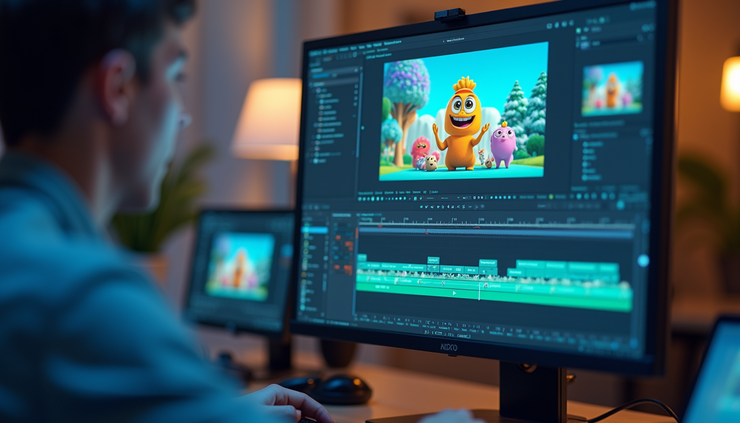
What AI Animation Software Does
AI animation software uses machine learning and computer vision to automate parts of the animation process. This can include generating character movements, facial expressions, lip-syncing, and even creating entire scenes from simple inputs. The goal is to reduce the time spent on repetitive tasks and allow animators to focus on creativity and storytelling.
Some common AI-powered features include:
Automatic rigging: Quickly turning static images or models into animated characters.
Motion capture without suits: Using video input to create realistic movements.
Facial animation: Syncing mouth and expressions to audio tracks.
Scene generation: Creating backgrounds and environments based on descriptions or sketches.
Style transfer: Applying artistic styles to animations automatically.
These capabilities make AI animation software valuable for indie creators, educators, marketers, and professionals who want to produce high-quality animations without large teams or budgets.
Top AI Animation Software to Consider
1. Adobe Character Animator
Adobe Character Animator combines traditional animation tools with AI-powered features. It uses your webcam and microphone to track your facial expressions and voice in real time, animating characters instantly.
Key features:
Real-time facial tracking and lip-syncing
Easy puppet creation from Photoshop or Illustrator files
Integration with Adobe Creative Cloud apps
Automatic walk cycles and triggers for gestures
Best for: Creators who want fast, expressive character animation with familiar Adobe tools.
2. Reallusion Cartoon Animator 5
Cartoon Animator 5 offers AI-assisted tools for 2D animation, including automatic lip-sync and motion capture from video.
Key features:
AI-driven facial mocap using webcam
Auto lip-sync from audio files
Smart animation templates and motion libraries
2D character rigging and bone system
Best for: Animators focused on 2D projects who want to speed up character animation.
3. DeepMotion Animate 3D
DeepMotion Animate 3D uses AI to convert 2D video footage into 3D animations. Upload a video of yourself or someone else moving, and the software generates a 3D character animation.
Key features:
AI motion capture from regular videos
Export animations to popular 3D formats
Supports humanoid characters with realistic movement
Cloud-based processing for quick results
Best for: 3D animators looking for affordable motion capture without expensive equipment.
4. Runway ML
Runway ML is a creative platform that offers AI tools for video and animation, including style transfer, rotoscoping, and generative animation.
Key features:
AI-powered video editing and effects
Generative models for creating animations from text or images
Easy integration with other creative software
Collaborative workspace for teams
Best for: Artists and animators experimenting with AI-generated visuals and effects.
5. Ebsynth
Ebsynth uses AI to transfer painted or stylized frames onto video sequences, creating unique animation styles from hand-drawn or painted art.
Key features:
Frame-by-frame style transfer
Works with any video footage
Supports high-resolution output
Free to use with simple interface
Best for: Artists who want to combine traditional painting with digital animation.
How to Choose the Right AI Animation Software
Choosing the best AI animation software depends on your project goals, skill level, and budget. Here are some factors to consider:
Type of animation: Do you want 2D or 3D animation? Some tools specialize in one or the other.
Input methods: Do you prefer working with video, images, or audio? Some software uses webcams, others require sketches or models.
Ease of use: Beginners may want software with intuitive interfaces and tutorials.
Integration: If you already use certain creative tools, check if the AI software integrates smoothly.
Output quality: Consider the resolution and formats supported.
Cost: Some AI animation tools are free or offer trial versions, while others require subscriptions.
Testing a few options with small projects can help you find the best fit.
Practical Tips for Using AI Animation Software
Start simple: Use AI features to handle repetitive tasks like lip-sync or walk cycles, then add your personal touch.
Combine tools: Use AI animation software alongside traditional tools for more control.
Experiment with styles: AI can help you try different looks quickly, so explore various artistic styles.
Keep learning: AI animation is evolving fast. Follow tutorials and communities to stay updated.
Plan your project: Even with AI, good animation needs clear storyboards and planning.
The Future of AI in Animation
AI is making animation more accessible and efficient. As technology improves, expect more realistic motion capture, smarter scene generation, and tools that understand storytelling better. This will open new creative possibilities for solo artists and studios alike.
Animation will remain a craft, but AI will be a powerful assistant, helping creators focus on what matters most: telling great stories.


The part about AI making animation more accessible really hits home—I’ve seen beginners jump straight into character rigging without the usual headache. Curious which tools you’d rank highest for that, since I’ve been testing a few lately. https://photo-generator-ai.com
AI animation tools really do cut down the grunt work, especially for storyboarding rough cuts. I've been testing a few for character rigging and the speed boost is unreal—check out https://image-to-3d.org
AI animation tools really do cut down the grunt work while leaving room for creative control—especially for solo animators. I've been testing a few of these myself, and the precision gains are noticeable. Check out https://omni-gemini.net
The jump from traditional keyframing to AI-assisted workflows is huge, especially for solo creators trying to keep up with client deadlines. I’ve been testing a few of these tools myself, and the precision on the rigging side is what sold me—check out https://motion-control-ai.org
The jump from traditional keyframing to AI-assisted workflows is exactly what makes tools like these so tempting for solo creators. I’ve been testing a few of these myself, and the time saved on in-betweens alone is wild—check out https://ai-logo-generator.com